
When a CT technologist sits down at the console and the modality worklist is blank, the day quickly falls apart. Manual data entry for every scan takes time, introduces typos, and creates downstream headaches that keep PACS administrators awake: accession numbers that don’t match, studies orphaned in PACS with no linked order, and reconciliation queues that grow faster than anyone can clear.
DICOM Modality Worklist, commonly abbreviated as MWL or DMWL, is the standard that prevents all of that. It feeds patient demographics and scheduled procedure data from your Radiology Information System directly to acquisition modalities over the DICOM network, so technologists select a patient from a list rather than typing anything. When it works, it is invisible. When it breaks, everything downstream breaks with it.
This guide covers what MWL is, how the full RIS-to-modality pipeline is constructed, the configuration details that catch teams off guard, and a structured troubleshooting playbook for the failure modes that appear most often in practice.
How the DICOM Modality Worklist Service Works
MWL is defined in DICOM as part of the Basic Worklist Management Service Class. The core mechanism is a C-FIND operation: the modality (acting as an SCU, or Service Class User) sends a C-FIND request to the MWL server (acting as an SCP, or Service Class Provider), and the server responds with one matching Scheduled Procedure Step entry per response message.
The DICOM PS3.4 Modality Worklist SOP Class defines the full information model for what can be queried and returned. Key attributes include patient demographics, the accession number, the scheduled station AE Title, the procedure description, and the scheduled start date and time. The modality uses these to pre-populate the study header before acquisition begins, which is what ensures the images arrive in PACS already tagged with the correct identifiers.
The full chain from order placement to image acquisition runs like this:
- A referring physician places an order in the HIS or EHR
- The RIS receives the order (usually via an HL7 ORM message) and creates a scheduled procedure step
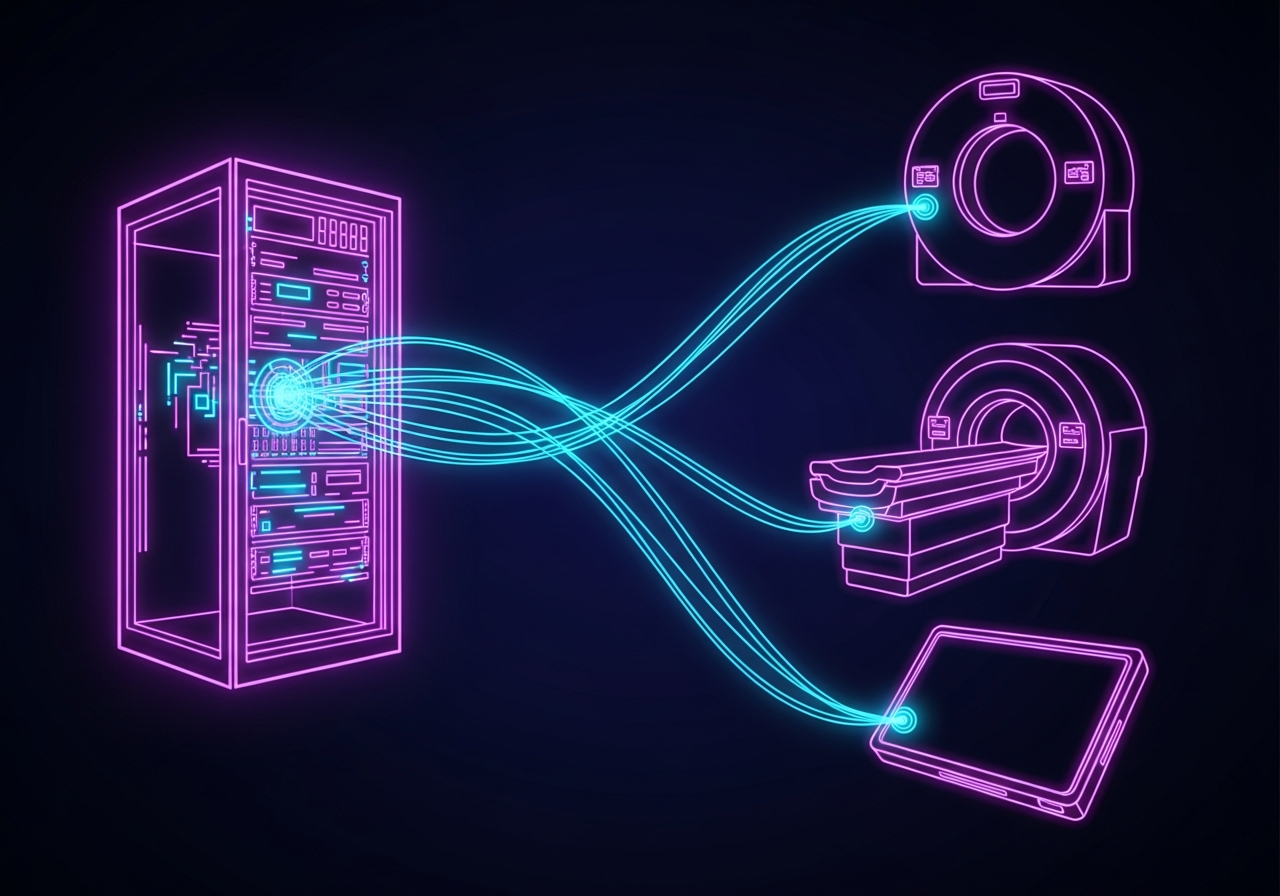
- The MWL server, which may be embedded in the RIS or run as a standalone broker, exposes those scheduled procedure steps over DICOM
- The modality queries the MWL server using C-FIND, filtered typically by modality type, AE Title, or date
- The technologist selects the patient from the returned list
- The modality embeds all returned attributes into every acquired image
When this chain is intact, every image produced carries the exact accession number, patient ID, and procedure description assigned by the RIS. When one link breaks, images still get acquired, but the identifiers no longer match what PACS expects.
The IHE Scheduled Workflow Context
The MWL service does not operate in isolation. The IHE Scheduled Workflow integration profile defines how HL7 and DICOM systems interact across the full radiology encounter, from ADT registration through order placement to image storage. Understanding the profile helps clarify where MWL fits: it is the bridge between the HL7 world of the RIS and the DICOM world of the modality. Orders arrive in HL7, are translated into DICOM-scheduled procedure steps, and are then consumed by modalities via C-FIND.
The profile also specifies the Modality Performed Procedure Step (MPPS) service, which runs in the opposite direction: the modality notifies the RIS and PACS when a procedure step has been performed. Facilities that skip MPPS configuration often find that studies sit in an ambiguous state, with no closure signal flowing back to the RIS.
Setting Up the MWL Pipeline
Configuration touches three distinct systems: the RIS (or MWL broker), the DICOM network, and each modality. Missing even one parameter in any of these layers will produce a silent failure where the modality queries and gets no results.
RIS and MWL Server Configuration
The RIS must be configured to send HL7 ORM messages to the MWL server whenever a procedure is scheduled. The key fields that must pass through cleanly are:
- Patient ID (the MRN)
- Patient Name (Last^First^Middle in DICOM PN format)
- Patient Birth Date
- Accession Number
- Scheduled Procedure Step Start Date and Time
- Scheduled Station AE Title (must exactly match the modality’s configured AE Title)
- Modality code (CT, MR, CR, DX, US, etc.)
- Requested Procedure Description or Procedure Code Sequence
The MWL server needs a static IP address and a listening port (typically 104 or a site-specific port above 1024). It also needs an AE Title that the modalities will address their C-FIND requests to. Note all three values: IP, port, and AE Title. You will configure the same values across all modalities.
If your site uses a standalone MWL broker rather than an MWL service embedded in the RIS, the broker must receive the HL7 ORM and translate it to a DICOM-compatible scheduled procedure step entry. Verify that the field mapping from HL7 segments to DICOM attributes is correct. Accession number commonly lives in OBR-3 or ORC-3, depending on the HL7 version and site configuration. A mismatch at this translation layer is one of the leading causes of empty or incorrect worklists.
DICOM Network Configuration
The MWL server and every modality must be able to reach each other at the network layer. This means:
- The MWL server’s IP and port must be accessible from the modality subnet
- DICOM ports (typically 104 or your site-specific port) must be open in any firewalls or ACLs between the systems
- VLAN segmentation is a common source of failures in facilities where modalities live on a clinical device VLAN separated from the server infrastructure VLAN
Before making any changes to the DICOM configuration, run a simple connectivity test. From the modality’s service menu (or from a networked workstation on the same subnet), ping the MWL server’s IP address. Then attempt a TCP connection to the DICOM port using a tool such as telnet or nc. If the TCP connection is refused or times out, the problem is at the network layer, not the DICOM configuration.
Modality Configuration
On each modality, you need to configure the MWL server as a DICOM node. The three required parameters are the AE Title of the MWL server, its IP address, and the DICOM port. Most modalities also allow you to set:
- Query filter by modality type (queries for only CT, for example)
- Query filter by station AE Title (queries for procedures scheduled for this specific modality)
- Auto-refresh interval (how often the modality polls for updated worklist entries)
- Manual refresh option for technologists
The station AE Title filter is worth emphasizing. If the MWL server is configured to return entries only when the Scheduled Station AE Title in the worklist matches the querying modality’s AE Title, then a single character difference between those two values will result in an empty worklist. Many sites experience this after a modality upgrade or when a new modality is added, and the AE Title was entered differently in the RIS versus the modality console.
Getting RIS and PACS tightly integrated is foundational to making MWL reliable. For a broader view of how these systems connect at the data layer, the DICOM routing in the cloud computing model provides a practical breakdown of how imaging data flows across a modern infrastructure.
The RIS-to-Modality Data Flow
The complete configuration checklist before going live:
- RIS can receive patient orders and create scheduled procedure steps
- HL7 ORM interface from HIS/EHR to RIS is active and delivering orders
- MWL server receives ORM messages and creates DICOM worklist entries
- The MWL server is reachable at its configured IP and port from the modality subnet
- Each modality has the MWL server’s AE Title, IP, and port entered correctly
- The Scheduled Station AE Title in the RIS matches the AE Title configured on each modality
- MPPS interface is configured so the RIS receives procedure completion notifications
OmniPACS works with sites throughout this configuration process, helping align the RIS integration, broker configuration, and modality network settings so the worklist pipeline goes live without the trial-and-error that typically adds days to an implementation. If your team is setting up a new integration environment, exploring the OmniPACS services can show you how we structure that support.
Common Failure Modes
Once MWL is live, production failures tend to fall into a small set of recurring categories.
Empty Worklist
The modality queries and returns nothing. The causes fall into two groups: connectivity failures and configuration mismatches.
Start with connectivity. If the modality cannot reach the MWL server at the IP and port, C-FIND will fail silently or return a connection error. Check that the MWL server is running, that the port is open, and that nothing in the network path has changed (such as a new firewall rule, a VLAN reassignment, or an IP address change after a server migration).
If connectivity is confirmed, check the AE Title configuration. Run a C-ECHO from the modality to the MWL server. This is a DICOM ping that confirms the association layer is working. If C-ECHO succeeds but C-FIND returns empty results, the issue is in the query filters. The most common cause is that the Scheduled Station AE Title filter on the modality does not match any entries in the worklist.
Accession Number Mismatches
Images arrive in PACS but do not reconcile with the matching order. This happens when the accession number embedded in the images differs from the accession number in the RIS or PACS order entry.
The usual causes:
- Technologist performed manual data entry instead of selecting from the worklist (because the worklist was empty at that moment)
- The HL7 ORM message arrived after the acquisition was already complete
- The RIS uses a different accession number format than the PACS expects (for example, RIS uses a department prefix that the PACS strips)
- Accession number counter reset after a system migration
To prevent this, enforce worklist selection in your departmental policy. If the modality cannot find a worklist entry, the correct process is to contact IT, not to type in accession numbers manually. OmniPACS includes reconciliation tools to match studies that arrive without proper identifiers, but the goal is always to prevent mismatches in the first place.
MRN Mismatches and Demographic Errors
Demographic mismatches occur when the patient ID (MRN) in the worklist does not match PACS expectations. Common triggers include multiple MRN systems (an enterprise MRN and a department-specific ID), name format differences between the HIS and RIS, and character encoding issues when patient names include accented characters or non-Latin scripts.
The DICOM standard requires the patient name in PN VR format: Last^First^Middle. If the RIS sends names in a different format or swaps first and last names, the mismatch can cause studies to appear under the wrong patient records. Verify the character encoding configuration on both the RIS HL7 interface and the MWL server, particularly the Specific Character Set (0008,0005) DICOM attribute.
Network ACL Issues
Facilities that have recently undergone network segmentation, firewall upgrades, or data center migrations frequently find that MWL stops working because a firewall rule that allowed DICOM traffic was not migrated. DICOM port 104 is sometimes blocked by default in security hardening configurations because it is a low-numbered port that requires elevated privileges to bind on Linux/Unix systems.
If the MWL port was changed to a high port during a server migration and the modalities were not updated to reflect the new port, queries will fail at the association level. Check the modality DICOM node configuration and confirm the port matches what the server is now listening on.
Troubleshooting Playbook
Use this sequence when MWL issues are reported.
Step 1: Confirm the Worklist Has Entries
Log in to the MWL server’s management interface or run a DICOM query tool (e.g., dcmtk’s findscu) to verify that worklist entries exist for the scheduled date and modality. If no entries are present, the problem is upstream: the RIS is not creating entries, or the HL7 interface between HIS and RIS is not delivering orders.
Step 2: Verify Network Connectivity
From the modality subnet, confirm TCP connectivity to the MWL server on its configured port. If this fails, escalate to the network team. This is not a DICOM problem.
Step 3: Run a C-ECHO
From the modality service menu or from a DICOM utility, run a C-ECHO (DICOM Verification) to the MWL server. This tests the DICOM association layer. If C-ECHO fails, either a firewall is blocking DICOM or there is an AE Title mismatch in the association acceptance list.
Step 4: Check Logs
MWL servers log every incoming association and C-FIND request. Look for:
- Association rejections (usually AE Title not recognized or not in the accepted callers list)
- C-FIND requests with zero matches returned (usually a query filter issue)
- Connection refused or timeout entries (network layer problem)
- HL7 ORM messages that arrived with errors or mapping failures
On Linux-based MWL servers running dcmtk or a commercial MWL broker, the DICOM service log is typically located at/var/log/dcmtk/ or at the vendor-specific log path. Check both the MWL service log and the HL7 interface engine log simultaneously.
Step 5: Packet Capture
If logs do not reveal the cause, a network packet capture on the MWL server using tcpdump or Wireshark will show whether packets are arriving, being dropped, or being rejected. Capture on the DICOM port and filter by the modality’s IP address. This will tell you whether the problem is that packets never arrive, arrive but are refused, or arrive and are processed but return empty.
tcpdump -i eth0 -w /tmp/dicom-capture.pcap port 104 and host [modality-ip]Open the capture in Wireshark. DICOM traffic is decoded natively. Look for the A-ASSOCIATE-RQ, A-ASSOCIATE-AC, or A-ASSOCIATE-RJ sequence. A rejection at the associate layer means the problem is authentication or AE Title acceptance. If the association succeeds but C-FIND returns an empty result, the issue lies in query matching.
Step 6: Modality DICOM Conformance Statement
If the MWL server returns entries but the modality does not display them, consult the modality’s DICOM Conformance Statement. Not all modalities implement the full set of Matching Key Attributes. Some older modalities only support matching on patient name and date, not on the Scheduled Station AE Title. If your MWL server sends entries that require AE Title matching, but the modality does not send that attribute in its C-FIND request, the query returns no matches even though entries exist.
Keeping MWL Stable Over Time
Once MWL is running cleanly, two practices make the biggest difference.
Any change to a modality AE Title must be immediately reflected in the RIS scheduled procedure step configuration. This is the most commonly skipped step during equipment upgrades and is responsible for a large share of “the worklist suddenly stopped working” calls.
Monitor the HL7 ORM interface. If orders are not flowing from the EHR to the RIS, the worklist becomes stale without producing any errors at the modality level. A monitoring job that alerts when no new MWL entries have appeared within a configurable window catches interface failures before the first technologist notices.
For sites managing these integrations across multiple locations, the RIS PACS system integration workflow model outlines how systems must remain synchronized as environments expand. The SIIM DMWL overview is a useful reference to share with vendor support teams during a configuration engagement.
Frequently Asked Questions
What is the difference between MWL and MPPS?
MWL (Modality Worklist) is the pull service that schedules work for modality requests from the RIS. MPPS (Modality Performed Procedure Step) is the push service: the modality reports to the RIS that a procedure step has been started or completed. They work together as a pair. MWL feeds instructions to the modality; MPPS sends status back. Sites that configure MWL but skip MPPS end up with orders that never close in the RIS.
Can MWL work without an HL7 interface?
Technically, yes: some standalone MWL servers allow manual entry of worklist items, and some PACS products allow direct creation of worklist entries. In practice, a production environment without HL7 order flow requires staff to enter orders twice (once in the RIS, once in the MWL), which eliminates the data-integrity advantage the service is meant to provide.
What should I check first when MWL suddenly stops working?
In order: (1) confirm the MWL server is running, (2) confirm TCP connectivity from the modality to the server, (3) run a C-ECHO to test the DICOM association layer, (4) check the server log for rejected associations or failed HL7 ORM messages. Most sudden failures are caused by a server restart that changed the bound port, a firewall rule applied after a scheduled maintenance window, or an HL7 interface outage that prevented new orders from arriving. OmniPACS integrations include monitoring hooks that alert on MWL server failures, significantly shortening the window between a failure and detection.
How do I prevent accession number mismatches on busy scan days?
Enforce a policy that technologists must always select from the worklist rather than enter manually. Configure the modality to prompt a warning when manual entry is attempted without a prior worklist selection. On the RIS side, ensure accession number formats are consistent and that the HL7 ORM sends the accession number in the field the MWL broker is configured to read. For facilities dealing with legacy mismatches, OmniPACS provides tools to reconcile unmatched studies after the fact, but prevention through worklist enforcement is the correct long-term answer. Learn more about OmniPACS’s flexible pricing and services to see how our platform supports these workflows at any scale.