
For most health systems running Epic, the question of PACS integration is not hypothetical. Epic Radiant integration is already on the roadmap, already underway, or has gone live six months ago, and someone is now trying to figure out why the modality worklist is not populating correctly. This post is for all three situations.
Epic holds the dominant share of the EHR market in the United States, and Radiant is its built-in radiology information system (RIS). When a hospital goes live on Epic, radiology is rarely left on a standalone RIS for long. The pull toward a fully integrated environment is strong, and for good reason. But the integration between Radiant and a PACS is not automatic. It requires deliberate configuration, a clear understanding of the protocols involved, and a PACS vendor that can meet Epic’s interface requirements. The broader landscape of EHR PACS integration is worth understanding before committing to a specific architecture.
What Epic Radiant Actually Does in a Radiology Workflow
Radiant is Epic’s radiology module, handling the administrative and clinical coordination side of imaging. It manages order entry, scheduling, worklist generation, result routing, and reporting. What it does not do is store or display images natively. That is the PACS’s job.
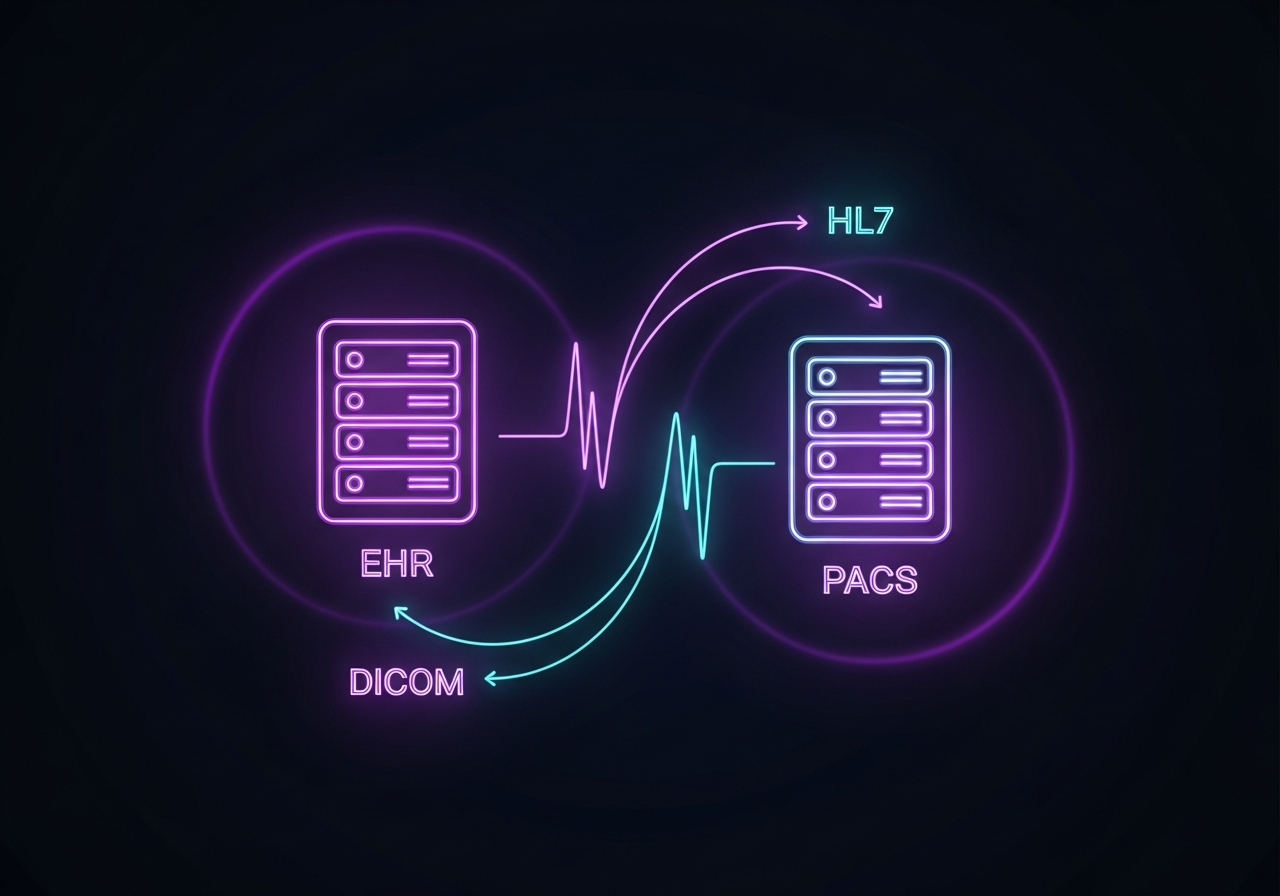
The pairing is designed to be complementary. Radiant generates the DICOM Modality Worklist (MWL), which tells scanners who the patient is and what procedure is being done. The scanner acquires the images and sends them to the PACS. The PACS stores the images and makes them available for interpretation. Radiologists read the study using the PACS viewer, then route the report back to Epic. Clinicians access results inside the Epic chart, with image links that launch context-aware views into the PACS.
The Core Integration Layer
The connection between Radiant and a PACS runs over three primary standards:
DICOM handles imaging data, procedure steps, and structured reports. The specific services in play include the Modality Worklist (MWL), Modality Performed Procedure Step (MPPS), Structured Reporting (SR), and WADO for web-based image retrieval from within the Epic chart.
HL7 handles clinical data flow: orders, demographics, results, and billing information. When a physician places an imaging order in Epic, an HL7 ORM message triggers the workflow downstream. This is the same data exchange layer that connects RIS to PACS in traditional architectures, and understanding RIS PACS integration helps clarify how Epic changes the picture.
FHIR is increasingly relevant for newer deployments, particularly where third-party image viewers or AI tools need to pull contextual patient data alongside the images.
Epic also supports single sign-on (SSO) and patient context synchronization through its open.epic imaging API, which allows the PACS viewer to launch in context when a user clicks an image link inside the Epic chart, without requiring a second login.
The Integration Architecture: Three Common Patterns
Not all Epic Radiant and PACS deployments are configured the same way. The architecture depends on the PACS product, the network topology, and how much the facility wants Radiant to own the workflow versus leaving business logic with the PACS.
Direct PACS Interface
In the most straightforward configuration, Radiant connects directly to the PACS via certified interfaces. Epic maintains a list of 28-plus imaging vendors with validated integrations, including major PACS platforms from GE, Philips, and Siemens. This works well when the PACS vendor has already completed certification against Epic’s interface specifications.
The direct interface model covers MWL, MPPS, image linking, and report routing. Setup requires close coordination between the PACS vendor, the Epic implementation team, and the facility’s IT team. Testing needs to be thorough, covering each modality type separately, because edge cases in how specific scanners send MPPS messages can surface only under real acquisition conditions.
Broker or Integration Engine Middleware
Some deployments use an integration engine, such as Rhapsody, Mirth Connect, or a DICOM router, to sit between Epic and the PACS. The middleware handles message translation, routing logic, and exception handling. This pattern is common in large health systems with heterogeneous imaging environments, where different PACS products exist across departments or campuses.
The tradeoff is added complexity. Middleware introduces another system for monitoring and maintenance, but it also provides flexibility that a direct interface cannot. Facilities with multiple modality vendors, complex workflow routing requirements, or legacy systems often benefit from a broker layer.
Vendor-Neutral Archive as the Hub
An emerging pattern in enterprise imaging is to use a vendor-neutral archive (VNA) as the central image repository, with both the PACS viewer and Epic connecting to it independently. The VNA stores images in a standards-based DICOM format, independent of any single vendor’s proprietary storage format. For a broader view of how these components fit together, medical imaging system integration encompasses the full topology from the modality to the reading workstation.
In this model, the PACS viewer reads from the VNA, and Epic’s image linking points to the VNA for web-based viewing. This gives facilities more flexibility to change PACS vendors over time without a full data migration. For organizations consolidating imaging across multiple sites, the VNA-as-hub model significantly simplifies the integration topology.
OmniPACS supports all three patterns, with implementation expertise across direct interface configurations, integration engine setups, and VNA-based architectures. Choosing the right model depends on your existing infrastructure, and that decision is best made before the Epic go-live clock starts.
Key Configuration Steps for a Successful Go-Live
A Radiant-PACS integration has several configuration touchpoints that must be set correctly for images to flow properly.
Modality Worklist Configuration
The MWL connection is the first thing that needs to work. When a technologist sits down at a scanner, the worklist needs to populate with the correct patient name, accession number, study description, and modality type from Radiant. Errors here cascade downstream: wrong patient identifiers in the DICOM header mean images may not match to the correct study in the PACS or the Epic chart.
Test the MWL against every modality type in your environment, including CT, MRI, ultrasound, and any portable or mobile units that behave differently from fixed equipment.
MPPS and Status Updating
MPPS messages sent from the scanner back to Radiant update the order status as procedures start and complete. Without MPPS, Radiant has no way to know that a study is being acquired, which affects worklist management and downstream billing triggers.
Many sites configure MPPS but do not validate that the messages are arriving correctly. Build a test protocol that simulates a procedure from start to finish and confirms that Radiant reflects the correct status at each step.
Image Linking and Context Launch
The image link that appears inside the Epic chart is generated through Epic’s Enterprise Image Access API. When clicked, it should launch the PACS viewer with the correct study pre-loaded, without prompting the clinician to log in again.
SSO configuration between Epic and the PACS needs to be tested across different user roles and network contexts. Radiologists, ordering physicians, and nursing staff may all need image access, but with different viewer configurations. Testing a single role and assuming the others work is a common and costly mistake.
Report Routing
Results flow from the PACS reporting module back to Epic via HL7 ORU messages or structured report DICOM SR objects. The report needs to arrive in the correct Epic result location, trigger any configured alerts or routing rules, and be visible in the referring provider’s chart view.
If your facility uses a separate dictation or speech-recognition system, it adds another interface to the chain. Confirm that the transcription system sends the finalized report to the PACS, and that the PACS then forwards the signed result to Epic. Each handoff is a potential failure point.
Common Integration Pitfalls
Most Epic Radiant and PACS integration projects encounter the same set of problems. Knowing them in advance reduces the likelihood of hitting them mid-go-live.
Accession number format mismatches occur when the PACS and Epic have different expectations about how accession numbers are structured. This is among the most common causes of studies not matching in Epic after acquisition.
Timezone and timestamp discrepancies affect study ordering in worklists and reporting. This is especially common in organizations that have recently moved data across systems or are running virtual machines with different system clocks.
DICOM charset issues can cause patient names with special characters, including accented characters common in Spanish and Portuguese surnames, to appear garbled or fail to match in the PACS. Verify that all systems are configured for UTF-8 or the appropriate character set.
Role-based access differences between Epic and the PACS can break SSO context launches when a user has different credentials or permissions in each system. Map user roles explicitly during integration testing rather than assuming Epic roles translate cleanly to PACS roles.
OmniPACS has addressed each of these failure patterns across deployments in ambulatory clinics, community hospitals, and enterprise health systems. The issues are predictable and solvable, but only when anticipated before go-live rather than discovered after the fact.
Testing Framework Before Go-Live
A written test plan is not optional. The build process for any Epic Radiant integration should include multiple rounds of integration testing that cover each modality type, each user role, each workflow path, and each exception scenario.
Testing should include representatives from Epic, the PACS vendor, and the facility’s biomedical team. Each modality scanner implements DICOM standards slightly differently, and data transfer problems often appear only when actual scan acquisitions run under real network conditions.
Run a parallel operation period before full cutover. This means operating both the old and new workflows simultaneously for a defined window, comparing results at each step, and resolving discrepancies before the old system is decommissioned. This adds time and complexity, but it is far cheaper than discovering a missed edge case while radiologists are interpreting studies for real patients.
What to Look for in a PACS Vendor for This Integration
Not all PACS products are equally well-prepared for Epic Radiant integration. When evaluating a PACS in an Epic environment, ask the vendor for documentation of their existing Epic certifications, their experience with the specific Epic version your facility is running, and their support process for post-go-live interface issues.
A PACS vendor with a dedicated Epic integration team and a track record of go-lives in Epic environments will save your IT team significant time and reduce risk during implementation. Vendors that have not done this before tend to underestimate the complexity of the interface layer, particularly around MWL, MPPS, and SSO.
If your facility is evaluating cloud PACS options in parallel with an Epic deployment, the integration architecture question becomes even more important. Cloud PACS solutions need to address latency, access control, and DICOM routing over WAN connections in ways that on-premise systems do not. OmniPACS is built for this environment, with integration capability designed specifically for cloud-native PACS deployments in Epic ecosystems. Teams that want to understand OmniPACS’s Epic-compatible architecture can explore OmniPACS solutions to see how it maps to their existing environment.
Frequently Asked Questions
Does Epic Radiant replace the PACS?
No. Radiant is a radiology information system that handles orders, scheduling, worklist management, and result routing. It does not store or display images natively. A separate PACS is required for image storage and interpretation.
Can Epic Radiant work with any PACS?
Radiant can work with PACS products that support the relevant DICOM and HL7 interface standards. Epic publishes a list of certified imaging vendors through its open.epic program. PACS products that have completed Epic’s certification process typically offer more predictable implementations than uncertified products.
What is the biggest integration challenge between Epic Radiant and PACS?
The most common source of problems is data mapping, specifically how patient identifiers and accession numbers are formatted and matched between systems. MPPS configuration and SSO context launch are also frequent sources of issues during go-live.
How long does an Epic Radiant and PACS integration project take?
Timeline depends on the deployment size, the number of modalities and sites involved, and whether an integration engine or VNA is part of the architecture. A straightforward single-site deployment with a certified PACS vendor might take three to six months from project kickoff to go-live. Multi-site or complex enterprise deployments often take longer.
Where does a cloud PACS fit in this picture?
Cloud PACS integrates with Epic Radiant using the same DICOM and HL7 standards as on-premise PACS. The additional considerations are network connectivity, latency for large DICOM studies, and access control for users outside the facility’s network. A well-architected cloud PACS handles all of these, and for facilities looking to reduce infrastructure overhead while running on Epic, the combination is increasingly common. If you are planning an Epic deployment and want to understand how a cloud PACS fits in, OmniPACS delivers scalable monthly plans that align with the way Epic-integrated environments are billed and supported.