
The question of RIS vs PACS comes up constantly in radiology, but most teams use both every day without being entirely clear on where one ends and the other begins. Add HIS and EHR into the conversation, and the lines blur further. The confusion matters because when something breaks, people end up debugging the wrong system. When evaluating vendors, they end up buying overlapping tools. When integrations fail, no one knows who owns the handoff.
This post is the definitional map: what each system IS, what data it owns, what it does, and exactly how it hands work off to the next system in a real radiology workflow.
The Four Systems at a Glance
Before walking through a study lifecycle, here is a side-by-side comparison of the four systems that touch radiology in most healthcare organizations.
| System | Full Name | Primary Owner | What It Manages |
|---|---|---|---|
| HIS | Hospital Information System | Hospital administration | Patient registration, admissions, demographics, and hospital-wide billing |
| EHR | Electronic Health Record | Clinicians, ordering physicians | Complete patient health record, physician orders, clinical documentation |
| RIS | Radiology Information System | Radiology department | Imaging orders, scheduling, tech workflow, reporting, and radiology billing |
| PACS | Picture Archiving and Communication System | Radiologists, imaging staff | Medical image storage, retrieval, display, and distribution |
Each system has a lane. They share data constantly, but they do not duplicate it. The problems that plague poorly integrated departments almost always trace back to data living in the wrong lane or handoffs that were never configured correctly.
What Each System Actually Does
HIS: The Hospital’s Administrative Backbone
The Hospital Information System is the hospital’s broadest database. It knows who the patient is before any clinical system does. When a patient arrives at registration, the HIS captures their demographics, insurance, visit type, and encounter number. Every other system in the facility ultimately traces that patient back to a record in the HIS.
For radiology, the HIS matters because it is typically the source of patient identity data. The referring physician’s order may originate in the EHR, but the patient’s master record lives in the HIS. Any downstream mismatch in patient identifiers, whether in the RIS or PACS, typically originates from a broken HIS feed or an incorrect registration entry.
In smaller, independent practices that do not operate within a hospital, the HIS function is often absorbed by the practice management system or by the RIS itself.
EHR: Where Orders Begin
The Electronic Health Record is where the referring physician lives. When a clinician decides a patient needs a chest CT or an MRI of the lumbar spine, that order is entered in the EHR. The EHR holds the complete patient record: visit history, medications, allergies, lab results, prior imaging reports, and clinical notes.
What the EHR does not manage is the operational workflow of imaging. It does not schedule the appointment, track the modality, or store the DICOM image. It issues the order and expects a result to come back. That round trip through the imaging department is handled by RIS and PACS.
The EHR is also where the referring physician reads the final radiology report. After the radiologist signs off, the report is routed back to the EHR so the ordering clinician can see it in the patient’s chart, alongside the lab results and other clinical data.
RIS: The Radiology Department’s Operating System
A radiology information system is the operational center of a radiology department. It is purpose-built for imaging workflow and handles everything the EHR and HIS were never designed to manage.
The RIS is responsible for:
- Receiving and validating imaging orders from the EHR or HIS
- Scheduling patients across modalities and time slots
- Tracking patient status from arrival through image acquisition
- Managing the radiologist’s worklist (which studies need to be read and in what priority)
- Capturing the radiology report and routing it back to the referring system
- Handling radiology-specific billing and procedure coding
What the RIS does not do is store or display the actual medical images. It knows that an abdominal CT was performed and completed. It does not hold the DICOM files. Those live in PACS.
In facilities using modern integrated platforms, the RIS and PACS are often sold together or accessed through a unified interface. But even in those combined platforms, the underlying data ownership stays separate: the RIS owns the workflow and report data, PACS owns the image archive. Understanding how each system is configured in your environment shapes how you should approach RIS PACS system integration and what gaps to look for when something breaks down.
PACS: The Image Warehouse and Viewer
The Picture Archiving and Communication System is where medical images live. Every DICOM file produced by CT, MRI, X-ray, ultrasound, and other modalities is routed to the PACS immediately after acquisition. From there, radiologists access images through a diagnostic viewer built into the PACS.
PACS handles:
- Long-term storage of DICOM images in a structured archive
- Image retrieval and display in a diagnostic workstation or web viewer
- Distribution of images to referring physicians, specialists, or outside facilities
- Prior study comparison (loading a patient’s previous scans alongside the current one)
- Image-level annotations, measurements, and hanging protocols
What PACS does not manage is the administrative workflow around those images. It does not know that an order was placed, who the referring physician is, or what the billing code is. That context comes from the RIS via a DICOM Modality Worklist feed, which pre-populates the scanner with patient and procedure data so the technologist does not have to manually enter anything.
Providers evaluating imaging platforms should understand that modern medical imaging system integration depends on getting the PACS connected not just to modalities, but to every upstream and downstream system in this chain.
A Study Lifecycle: What Each System Does at Every Step
The clearest way to see how these systems interact is to follow a single imaging study from order to final result.
Step 1: The Order (EHR)
A primary care physician examines a patient with lower back pain and decides to order an MRI of the lumbar spine. She enters the order in the EHR. The EHR creates an HL7 ORM message (an order message) containing the patient demographics, the requested procedure, the clinical indication, and the referring physician’s information. This message fires to the RIS.
Step 2: Scheduling and Worklist (RIS)
The RIS receives the HL7 order. A scheduler uses the RIS to book the patient into an available MRI slot. The RIS confirms the patient’s insurance eligibility and ensures the order meets authorization requirements. When the appointment is set, the RIS updates its worklist and pushes the patient and procedure details to the DICOM Modality Worklist, which sits on the MRI scanner.
Step 3: Image Acquisition (Modality → PACS)
The patient arrives. The MRI technologist opens the modality worklist on the scanner. Because the RIS has already pushed the patient’s name, date of birth, accession number, and procedure code, the technologist selects the patient from the list rather than typing them manually. The scanner runs the study. The resulting DICOM files are sent directly from the scanner to the PACS. The PACS receives and archives them.
Step 4: Interpretation (PACS + RIS)
The PACS notifies the RIS that images are available. The RIS updates its worklist to show the study as ready for reading. The radiologist opens the PACS viewer, where the MRI images appear alongside the relevant clinical history pulled from the RIS. The radiologist reads the study, applies measurements and annotations within the PACS viewer, and then switches to the RIS to dictate or type the radiology report. Some integrated platforms combine this step so the report is authored within the same interface, but the data still routes through the RIS for workflow tracking and billing.
Step 5: Report Distribution (RIS → EHR → HIS)
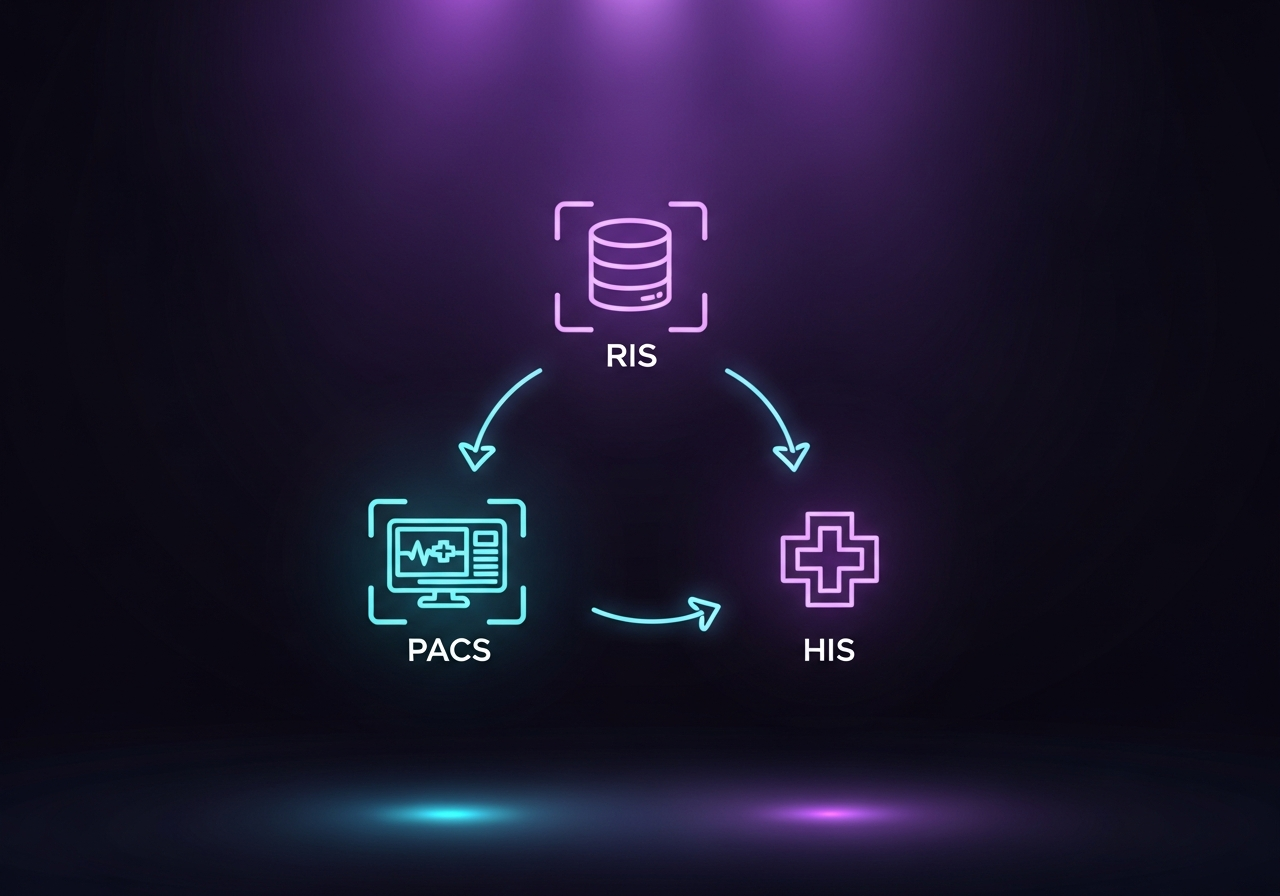
The radiologist signs the final report. The RIS fires an HL7 ORU message (a result message) carrying the completed report back to the referring physician’s EHR. The EHR adds the report to the patient’s chart, where the ordering clinician sees it. The RIS simultaneously updates the HIS with billing information and closes out the encounter. The PACS remains the permanent archive of the images, accessible for future comparisons.
This full-cycle integration is what separates a well-functioning radiology operation from one where staff manually enter data at multiple points or chase reports via phone calls and faxes.
Where Integration Breaks Down
Understanding the system map also reveals exactly where failure happens. The EHR PACS integration challenges that frustrate radiology teams almost always fall into one of three categories.
First, patient identity mismatches. If the HIS sends patient demographics in a format the RIS does not parse cleanly, the study can be stored under incorrect or duplicate patient records. This affects everything downstream.
Second, worklist failures. When the RIS-to-DICOM Modality Worklist feed breaks, technologists enter patient data manually at the scanner. Manual entry means transcription errors, which corrupt the DICOM tags that PACS uses to file and retrieve images.
Third, report routing failures. HL7 configuration between the RIS and EHR is complex. When the ORU message fails to route or routes to the wrong destination, referring physicians never see the report, and results tracking breaks down entirely.
Understanding how radiology information systems handle workflow is foundational to diagnosing these issues. The RIS, PACS, and HIS workflow definitions that each system must fulfill are precisely defined, and gaps in any one of them propagate downstream through the entire chain.
OmniPACS is built with these integration layers in mind. The platform connects to existing RIS and EHR systems through standard HL7 and DICOM interfaces, ensuring that worklist population, image routing, and report distribution work correctly from the first study. Practices looking to simplify their imaging stack can explore OmniPACS solutions to see how a cloud-native PACS reduces the number of integration points to maintain.
RIS vs PACS: The Core Distinction
If you need a single-sentence version to carry into any vendor conversation: the RIS owns the workflow, the PACS owns the images.
A RIS without a PACS is an operational system with nowhere to send images. A PACS without an RIS is an image archive with no scheduling, no worklist, and no reports. Neither is complete without the other, and neither replaces the EHR or HIS, which operate at a broader organizational level. Each system excels in its lane, and the integrations between lanes are what determine whether radiology runs smoothly or constantly requires manual intervention.
Facilities evaluating what a PACS system does for the first time often assume they can choose a single platform that covers all four functions. That is rarely the case. Understanding the data each system owns and the interfaces that connect them is the starting point for any meaningful technology evaluation.
Frequently Asked Questions
What is the difference between RIS and PACS?
A RIS (Radiology Information System) manages the operational workflow of a radiology department: orders, scheduling, worklists, reporting, and billing. A PACS (Picture Archiving and Communication System) stores, retrieves, and displays the actual DICOM medical images. The RIS knows what happened; the PACS holds what was imaged.
What is a HIS in radiology?
A HIS (Hospital Information System) is the hospital-wide administrative database that manages patient registration, demographics, admissions, and billing. In radiology, it is the source of patient identity data and the destination for billing information after a study is complete. It operates at a broader level than the department-specific RIS.
Can a PACS replace an RIS?
Not fully. Some modern PACS platforms include basic scheduling and worklist features, but a purpose-built RIS handles the full operational workflow, including order validation, insurance verification, report routing, and billing. In small or independent practices, a combined RIS/PACS platform may cover both adequately, but larger departments typically benefit from maintaining both systems with a clean integration.
How does the EHR connect to PACS?
The EHR typically connects to PACS indirectly, through the RIS. The EHR sends the imaging order to the RIS via HL7. The RIS schedules the study and feeds the DICOM Modality Worklist to the scanner. After the radiologist reads the study, the RIS sends the final report back to the EHR via HL7. Direct EHR-to-PACS connections exist in some enterprise environments, but the RIS usually mediates the handoff. OmniPACS supports both connection patterns depending on a facility’s existing architecture.
What does HL7 do in radiology?
HL7 is the messaging standard that carries structured data between clinical systems. In radiology, it carries imaging orders from the EHR to the RIS (ORM messages) and carries completed reports from the RIS back to the EHR or HIS (ORU messages). It is the connective tissue between the administrative and clinical layers of the imaging workflow.
OmniPACS is designed for facilities that need a reliable cloud PACS that integrates cleanly with whatever RIS and EHR environment is already in place. If you are building or rearchitecting a radiology stack and want to understand how OmniPACS fits into your specific system configuration, OmniPACS offers scalable monthly plans that make it straightforward to add a best-in-class PACS without replacing the systems already working well.